
One MCP for every inbox.
Your AI app can search and read mail in accounts you choose to share in Magiic. It can also organize mail and prepare replies for accounts connected with IMAP. For JMAP or Microsoft Graph, it can read mail saved on your Mac and remove conversations from To Reply.
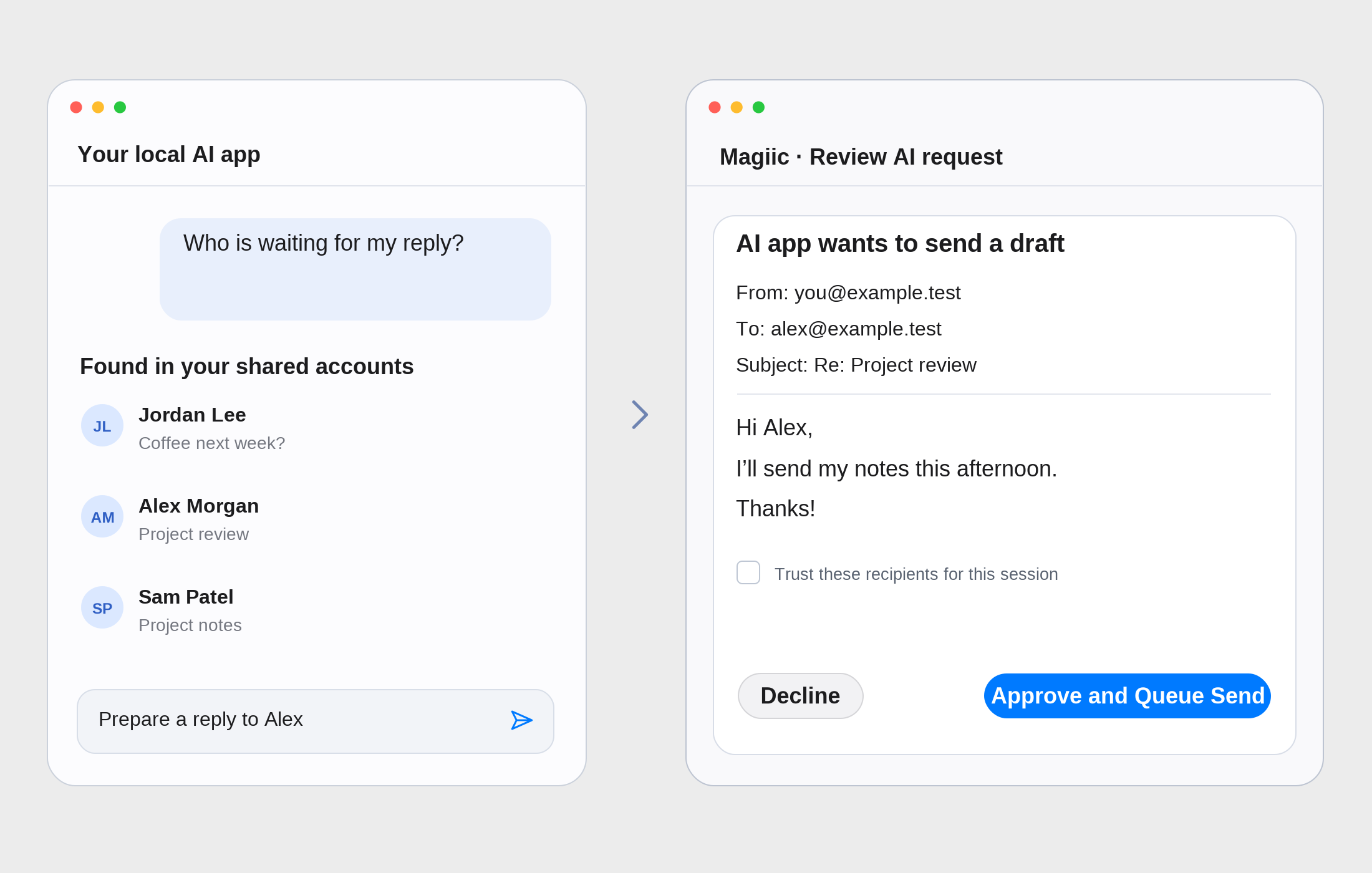
Your inbox, in plain words.
Find, read and organize mail with your AI app.
27 tools, all in every plan. Developers will recognise the names on the right; everyone else just asks.
search_messages
get_thread
find_attachments
find_contacts
list_threads
create_draft
update_draft
create_draft
archive
snooze
remind_if_no_reply
create_folder
send_draft
create_rule
block_sender
remove_label
unsubscribe
The AI does the busywork. You make the calls.
Most email MCPs give an AI one account, from someone's cloud.
Magiic's runs on your Mac, across every account you already have in it. When an AI app reads your mail, it goes to that app and its provider, never to us. Run a local model, in LM Studio for example, and the text the AI reads stays on your Mac.
| Magiic | Typical email MCP or connector | |
|---|---|---|
| Accounts | Gmail, iCloud, Outlook, Yahoo, Fastmail and any IMAP server, all at once | Usually one provider, often one account at a time |
| Where it runs | On your Mac. Your mail never passes through our servers | On the vendor's cloud, which holds access to your mailbox |
| Signing in | Nothing new: it uses the accounts already in Magiic | A separate sign-in or API key for each service |
| Search | Mail saved on your Mac, plus supported IMAP mail servers for older messages. JMAP and Microsoft Graph searches use saved mail. | The provider's search API |
| Undo | Every change listed in Magiic, with Undo | Rarely |
| Price | Included in every Magiic plan | Often a higher tier |
Three steps, a minute or two.
Connect your AI app.
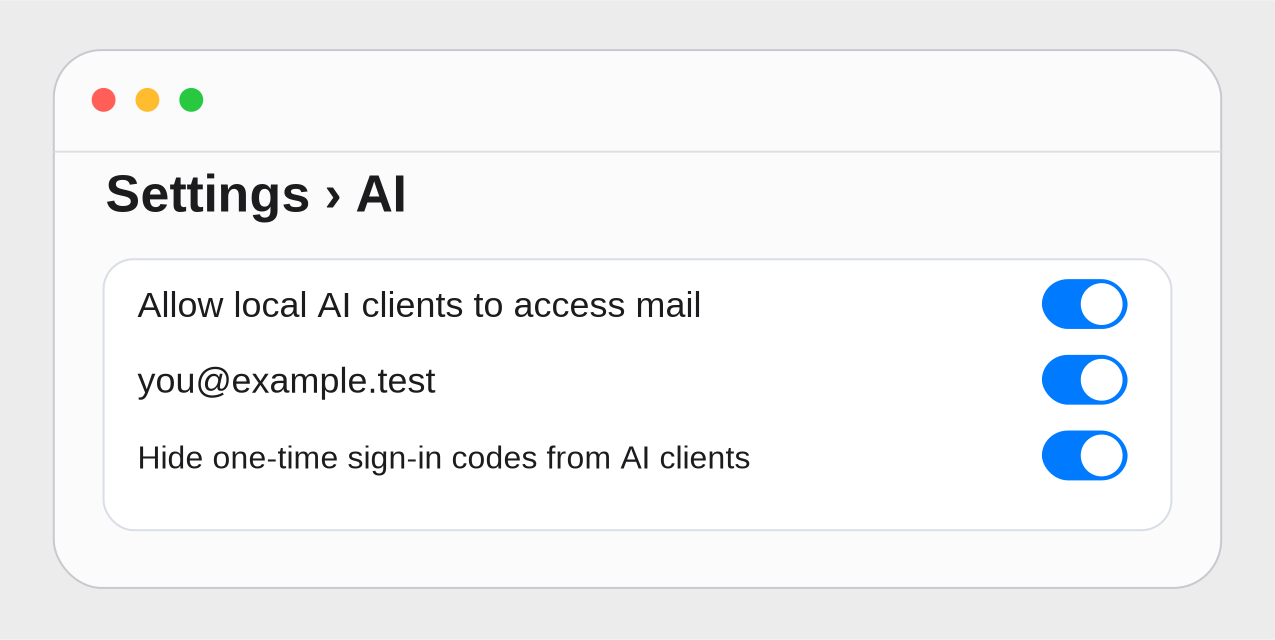
First turn on Settings › AI › Allow local AI clients to access mail and pick your accounts. The pane shows the MCP server command for your installed copy. Use that path in the examples below.
Use the JSON example below to configure Claude Desktop manually. Set its command value to the MCP server command shown in Settings › AI.
Run once in Terminal:
claude mcp add --scope user magiic -- \
  /Applications/Magiic.app/Contents/MacOS/MagiicMCP
For manual setup with the Codex command-line app, run this in Terminal:
codex mcp add magiic -- \
  /Applications/Magiic.app/Contents/MacOS/MagiicMCP
For AI apps that accept mcpServers JSON, use this example in their MCP settings. Set the command path to the one shown in Magiic’s Settings › AI.
{
  "mcpServers": {
    "magiic": {
      "command": "/Applications/Magiic.app/Contents/MacOS/MagiicMCP",
      "args": []
    }
  }
}
Good to know
What is MCP?
MCP is short for Model Context Protocol. It lets an AI app use tools in Magiic, such as finding messages or preparing a reply. IMAP, JMAP and Microsoft Graph are ways Magiic connects to your email service; that connection determines which mail actions an AI app can request.
Does it cost extra?
No. MCP is included with Magiic on every plan.
Which AI apps work?
Your AI app needs to support running a local MCP command on your Mac. Configure it with the MCP server command shown in Magiic’s Settings › AI.
Does my mail go to Magiic's servers?
No, that hasn't changed. What an AI app reads goes to that app, and to its provider if the model runs in the cloud. Use a local model, in LM Studio for example, and nothing leaves your Mac.
Can it send email without me?
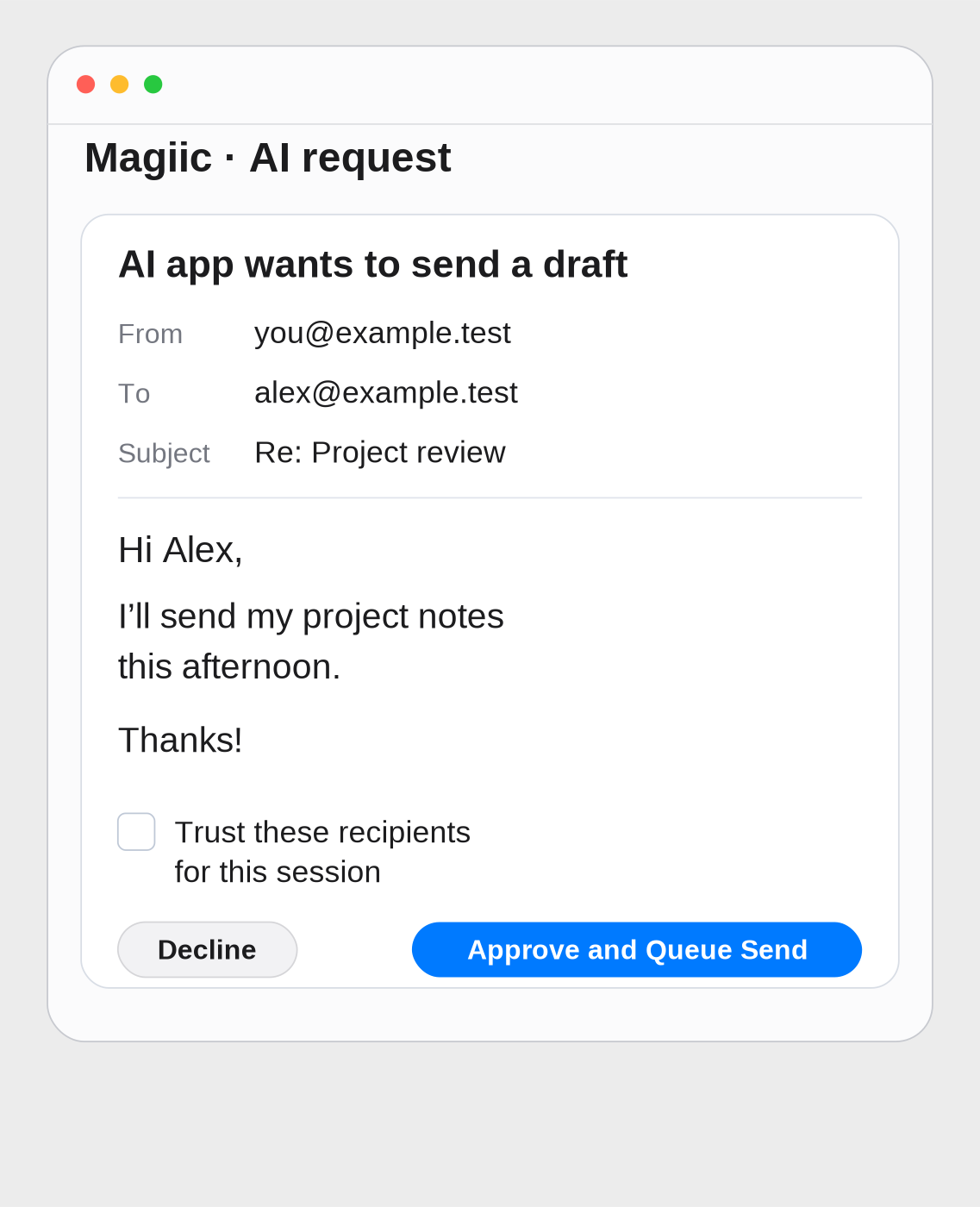
You approve each send. You can allow replies within one conversation for that AI session. New recipients, files and scheduled sends still ask.
Can it delete my mail?
No. AI apps can archive, move, mark, flag, snooze and mute, never delete, and never touch Spam or Trash. Removing a label moves its mail back to your inbox; only if you ask does it go to Trash, where you can restore it.
Does Magiic have to be open?
Searching and reading work any time. Changes, drafts, archiving and the rest, are carried out by the Magiic app, so they wait until it's open, and the AI app is told so.
Can Magiic's own summaries and replies use Claude?
Yes. In Settings › AI › AI model, pick Claude, OpenAI or OpenRouter, paste your own API key and choose the model, or point it at LM Studio or Ollama on your Mac. Summaries, suggested replies and Rewrite then use that model instead of Apple Intelligence, which also brings them to Macs without Apple Intelligence. The key stays in your Keychain and the text goes straight to the provider.
Does it work on my iPhone or on claude.ai?
Not yet: the MCP server runs on your Mac, next to Magiic, so it works with AI apps on that Mac.
Bring your AI to every inbox.
MCP is included with Magiic. New activations and purchases are not open yet.
Checkout is not open yet. Payments will open after the Mac release and payment service pass their final checks.
Contact Snowrock- 5 devices, one licence
- Cancel anytime
- Purchases are not open yet
- Licence key by email
Claude and Claude Code are trademarks of Anthropic. Codex is a trademark of OpenAI. Cursor and LM Studio are trademarks of their owners. Magiic isn't affiliated with or endorsed by any of them.