
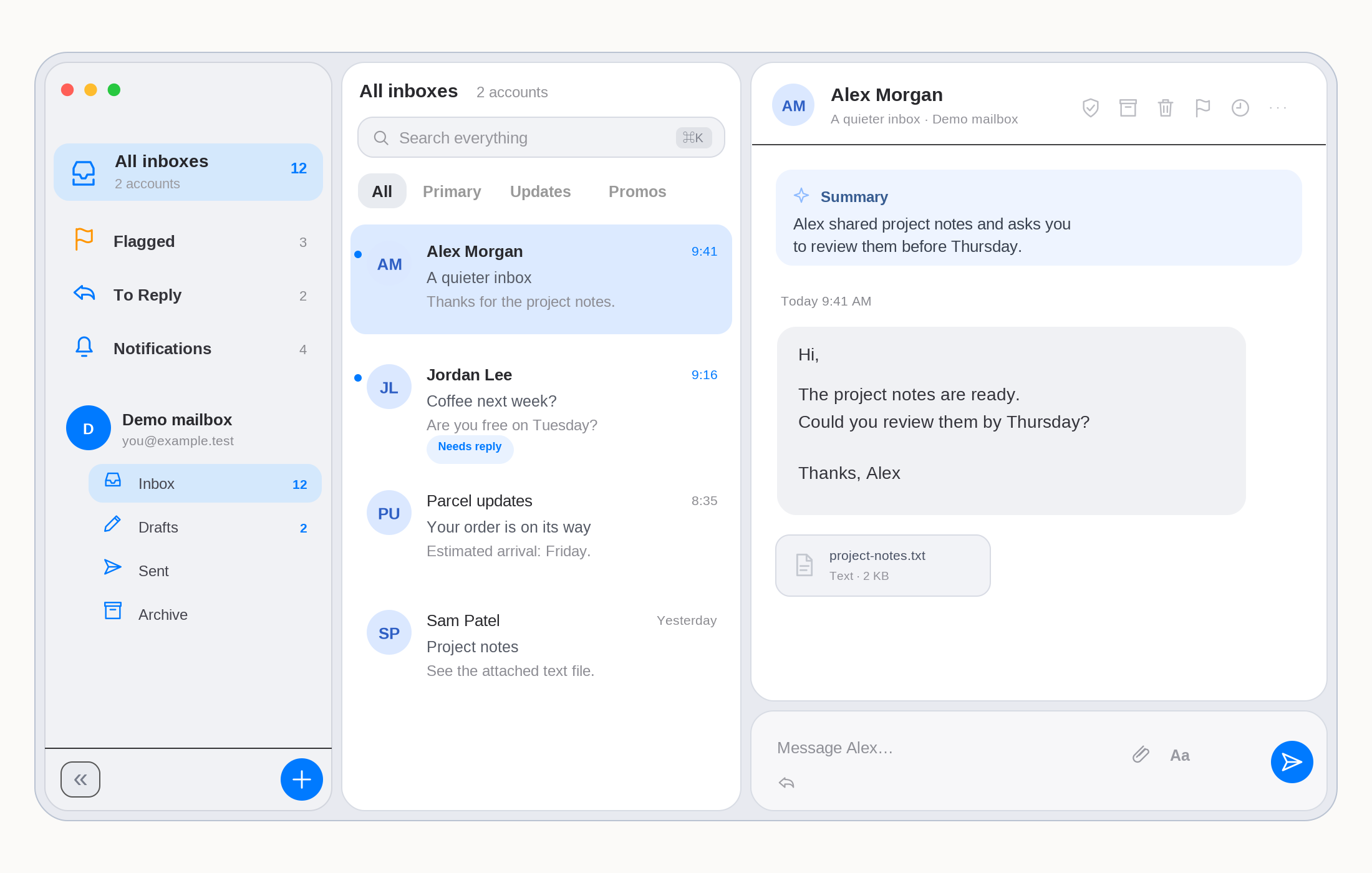
Magiic
Download for Mac
Magiic 2.0Native email for Mac, built by Snowrock
Download for Mac · purchases are not open yet

Fast, native email
for your Mac.

All your accounts in one beautiful inbox. Read, reply and search in an instant, and your mail never touches our servers.

YearlySave 17% $39.90/year Planned yearly subscription
Monthly $3.99/month Planned monthly subscription
Lifetime $99once Pay once, use forever

Checkout is not open yet. Payments will open after the Mac release and payment service pass their final checks.

Contact Snowrock
  • 5 devices, one licence
  • Cancel anytime
  • Purchases are not open yet
  • Licence key by email

Download Magiic for Apple silicon. A licence is required to use the app. New purchases are not open yet.

macOS 14+ · Apple silicon · 7 languages
Native
Built in Swift for macOS. No web wrapper, no bundled browser
Any inbox
Gmail, iCloud, Outlook, Yahoo, plus any IMAP server
Private
Your mail goes straight from your provider to your Mac. We never see it
On-device
Summaries and Rewrite run on your Mac by default
Seven languages

Mail in your language.

Use English, Armenian, Dutch, French, German, Russian or Spanish. Follow your Mac's language or choose one in Settings. Your messages keep the language they were written in.

All inboxes12
Elin LindqvistRe: Q4 print run
ReplyArchiveSnooze

Clean by design

Every account.
One fast, native window.

Threads that read like a conversation

No walls of quoted replies. Each message is a clean bubble, newest at the bottom, with the reply field right underneath. Prefer classic email? Switch any account to Classic.

ChatClassic
Can you make Thursday 3pm instead?
Thursday works. Sending a new invite.
⌘↩ sent · 2:14 pm

Search that reaches back years

Press ⌘K and search every account at once: senders, subjects, message text, attachment names. Your Mac answers instantly, then your mail servers fill in older mail, back to the very first message. Newest first.

⌕invoice northwindesc
All accounts has:attachment
Elin · Print production quote…the invoice from Northwind is attached… Tue
Northwind Cloud · Invoice 0012Found on the server · Work 2021

Every account, one window

Gmail, iCloud, Outlook, Microsoft 365, Yahoo, Fastmail or any IMAP server, in one unified inbox. Each account wears its own picture and colour, so you always know where a message came in, and keeps its own unread count.

Personaljonas@icloud.com 4
Workjonas@northwind.co 6
Studiohello@jonas.studio 2

Private without trying

Tracking pixels are blocked, links lose the tags that tell senders who clicked, and pictures from the web wait until you allow them, one message or one sender at a time. Your mail never touches our servers.

Northwind StoreAutumn sale starts today 2 trackers blocked
northwind.co/sale?utm_source=mail&mc_eid=8f2c…
Pictures from the web are hidden. Load Images ⇧⌘I

Dark when you are

Light, dark, or System, which follows your Mac and turns with it at sunset. Designed mail keeps its own light card either way, so a receipt or a newsletter still looks the way its sender built it.

Northwind StoreYour order has shipped
Northwind Store
Your order is on its way
Order #48213 · arriving Thursday
System Light Dark
New · Email MCP server

One MCP for every inbox.

Connect Claude, Claude Code, Codex, Cursor or LM Studio and ask in plain words, across every account at once: find last week's invoices, sum up what's waiting on you, draft the replies, tidy the rest. It runs on your Mac, and nothing is sent until you say so, in Magiic.

See how it works →
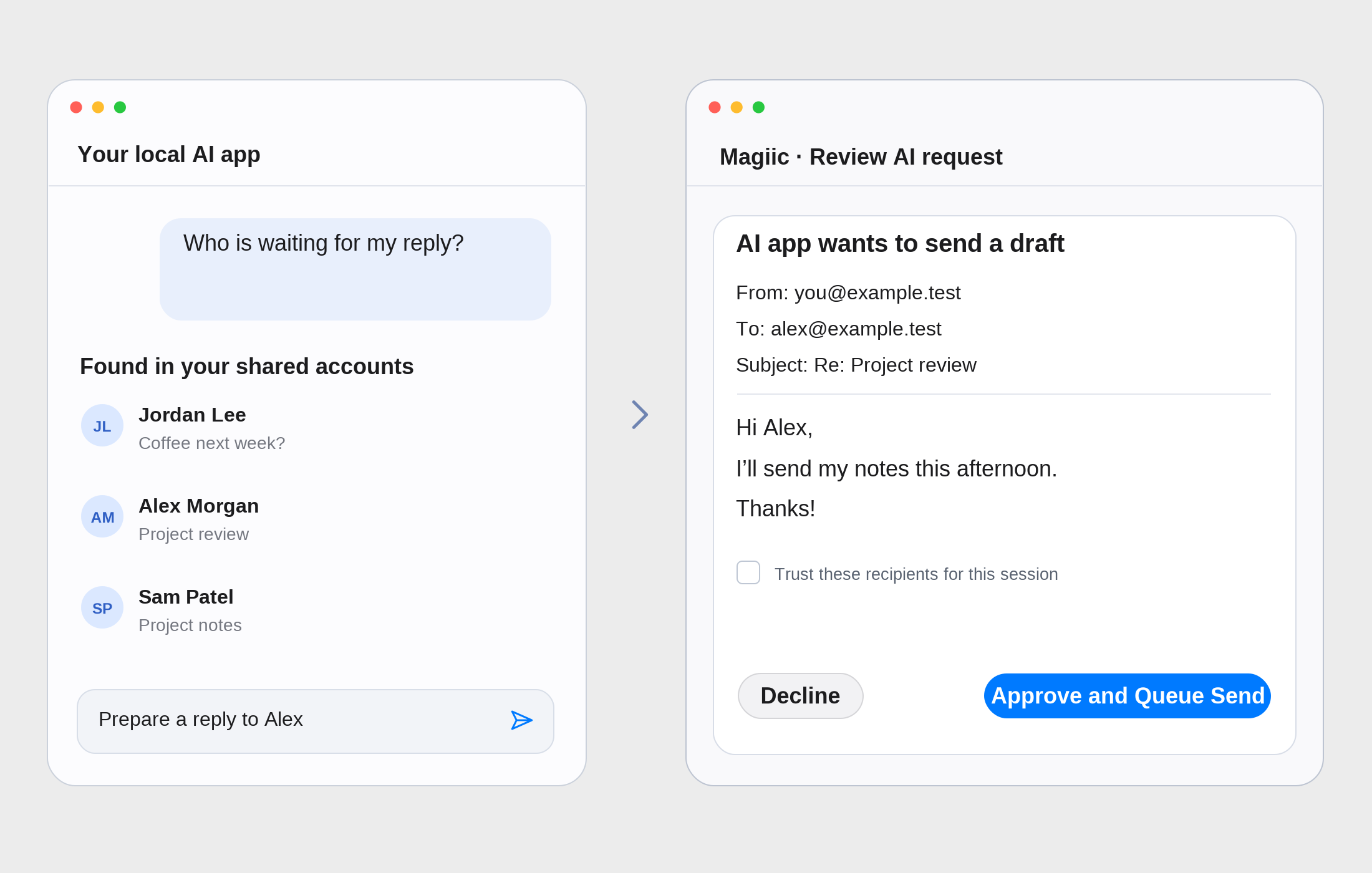
A local AI app finds three unanswered conversations. Magiic shows a reply for review with Decline and Approve and Queue Send.
Highlights

Know what needs you. Spot suspicious links.

Privacy checks run on your Mac. AI features use a local model unless you choose a server or cloud provider.
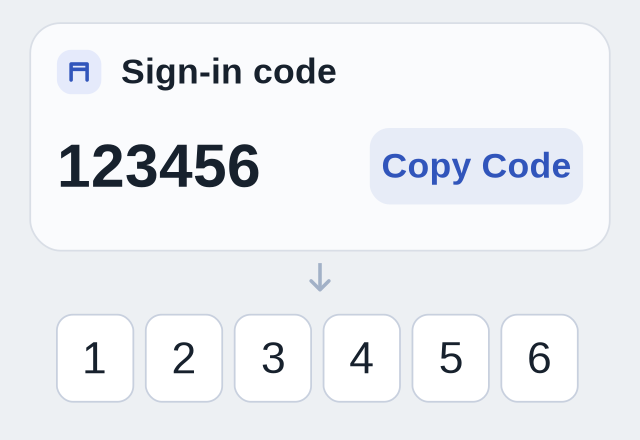
Illustration of Copy Code in a notification and matching digits in a sign-in form.
Codes, copied from the banner

When a sign-in code arrives, the notification shows it with a Copy Code button, so you never open the message. Magic sign-in links get Open Link. With automatic code cleanup on, used code messages are marked read and archived when you leave them.
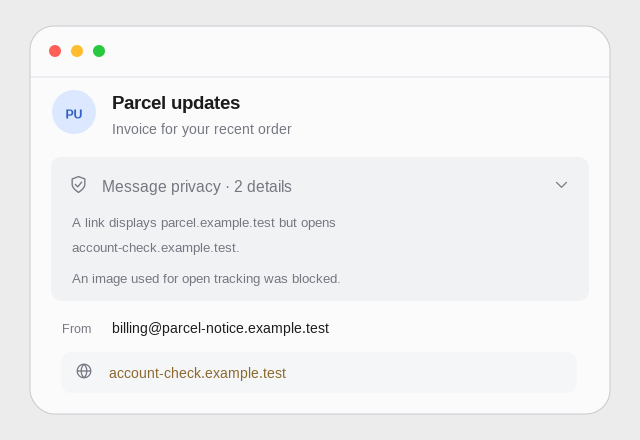
Expanded Message privacy details show a link with a different destination and an image blocked for open tracking.
See message privacy details

Expand Message privacy to review suspicious link addresses and other details found in a message. Magiic points out when a link displays one domain but opens another.

Illustration of To Reply selected beside two conversations marked Needs reply.
To Reply

A smart mailbox of the conversations where someone is waiting on you, questions and requests, not newsletters or receipts. Answer from any device and it leaves the list.
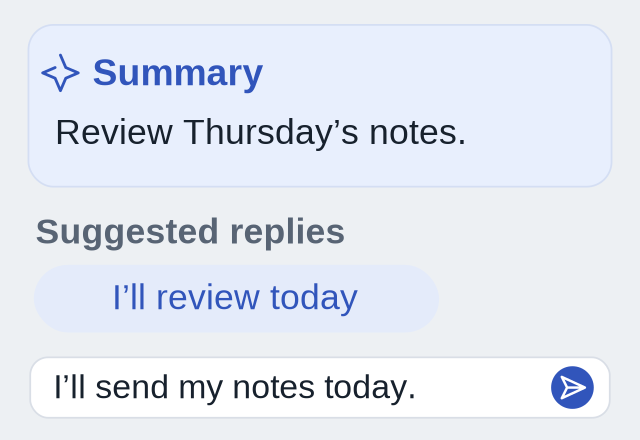
Illustration of a conversation summary, a suggested reply and a draft reply.
Summaries, replies and Rewrite

On macOS 26 with Apple Intelligence, long threads get a short summary of what's asked of you, a few suggested replies, and Fix Grammar for what you wrote. All of it runs on your Mac. Tone changes and Translate work with another AI you choose in Settings.
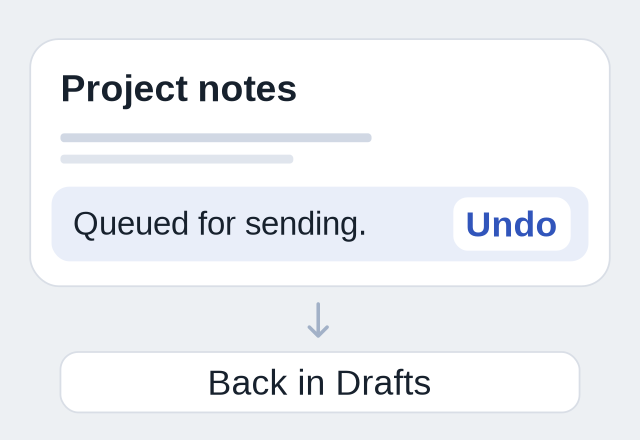
Take it back, keep them out, never lose a thread.

Illustration of a queued message with Undo and its return to Drafts.
Undo Send

Every message waits a few seconds before it leaves, 5 to 30, or off. Press Undo or ⌘Z and the composer comes back with your text and attachments. Archive, trash and move can be undone too.

Illustration of Load Images and Always Load above a hidden newsletter image.
Tracking pixels, blocked

Tracking pixels are found and removed before a message is shown, even when you load images, and tracking codes are cleaned from the links you open.
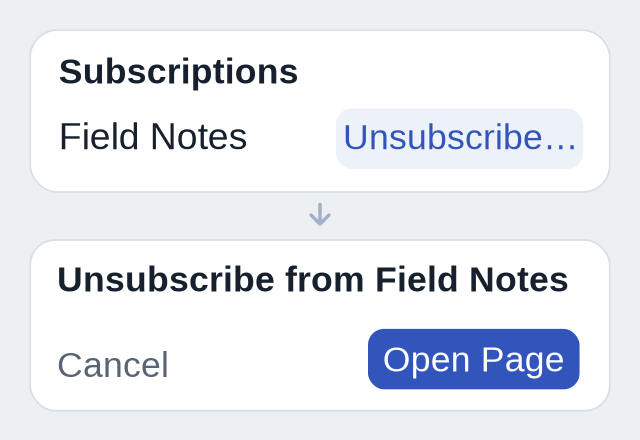
Illustration of a newsletter’s Unsubscribe control and Open Page review.
One-click unsubscribe

Open Subscriptions to review the mailing lists in your downloaded mail and the unsubscribe methods their senders provide. Depending on the sender, Magiic can send a one-click request, prepare an email draft or open a webpage.
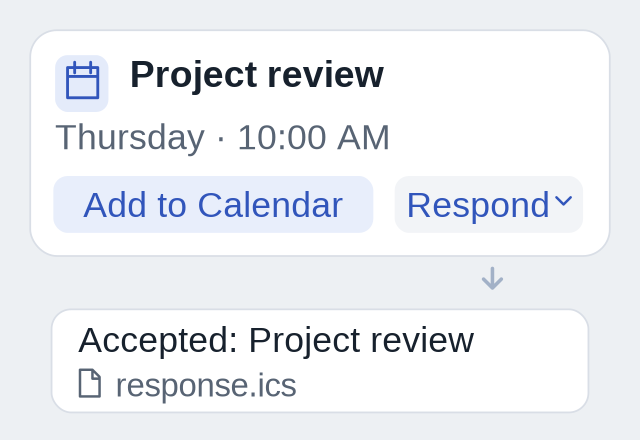
Illustration of Add to Calendar and Respond controls with a response draft.
Invitations you can answer

Calendar invitations show their time, location and organizer. Choose a response to review a draft before sending, or add a supported event to Apple Calendar.
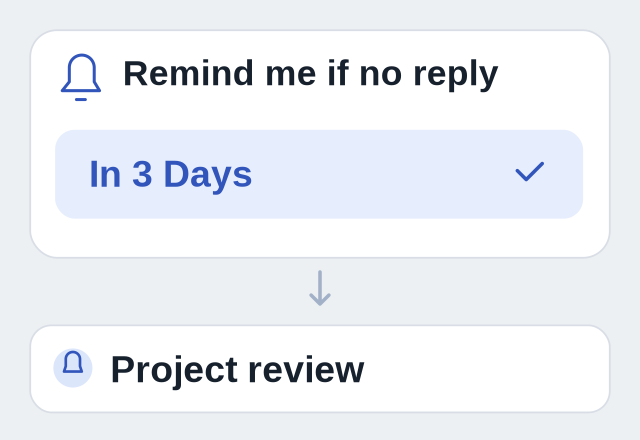
Illustration of In 3 Days selected in a no-reply reminder and a conversation returning.
Remind me if no reply

Pick 1 day, 3 days, a week or a date when you send. If nobody answers by then, the conversation comes back to the top of your inbox. If they reply, the reminder quietly goes away.
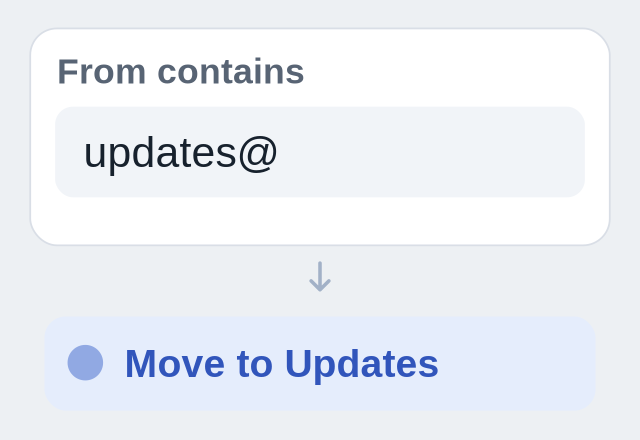
Illustration of a rule matching updates@ and moving matching mail to Updates.
Rules that run as mail arrives

Match on sender, subject, text, attachments or mailing list, then move, archive, mark read or trash. Magiic applies your rules as mail arrives and syncs supported changes with your provider.

Everyday, done well

The little things, all there on day one.

Instant delivery New mail is pushed over IMAP IDLE the moment it lands, with native notifications and a Dock badge. A catch-up sync runs after sleep or a network change.
Snooze until it matters Send a conversation away until this evening, Friday or a date you pick. It comes back on top, unread, when the time arrives.
Send later Write now, deliver at the hour you choose. An optional background helper sends it and wakes snoozed mail even when Magiic is closed.
A composer that stays out of the way Bold, italic, lists and text sizes, attachments by drag and drop, and drafts saved as you type. Turn on server draft saving in Writing settings for a supported IMAP account to see its drafts on other devices.
Smart tabs All, Primary, Updates and Promos, sorted on your Mac, each with its own unread count, plus an unread-only switch for a calmer list.
A signature per account Work signs off one way, personal another. Optional on replies, and removable on any single message.
Real sender pictures Photos from your Mac's Contacts and brand icons from senders' own sites, with initials as the fallback.
Send from any of your addresses Add aliases to an account, each with its own signature and Reply-To. Replies go out from the address the mail was sent to.
The everyday essentials Reply All and Forward, flags, move to any folder by dragging, multi-select, templates, Quick Look for attachments, print to PDF, and mute or block.
Native, all the way down

Built in Swift, for the Mac, and nothing else.

Magiic is SwiftUI and AppKit from the first line. There's no browser engine bundled inside, far less to load and far less to keep in memory, so it launches quickly and scrolls smoothly. Notifications, the Keychain, the Dock badge and keyboard shortcuts are the system's own, it looks and behaves like it belongs on your Mac.

Language Swift
Interface SwiftUI + AppKit
Bundled browser engine None
Notifications & Dock badge macOS native
Credentials macOS Keychain
Languages 7, follows your Mac
Summaries & Rewrite On-device model
Private by architecture

We don't store your mail. We never even see it.

Magiic connects your Mac straight to Gmail, iCloud, Outlook or your IMAP server. There's no Magiic cloud in between, no messages, contacts, passwords or usage data on our servers, because there's nowhere for them to go.

No server of ours Your Mac connects to your provider directly. There is no relay, no sync host, no account to create with us. The one exception is yours to turn on: read receipts, below.
Keychain credentials Passwords and OAuth tokens live in the macOS Keychain, read only at connection time.
Local index, local rules Search, smart categories, mail rules, To Reply and phishing checks run on your Mac. Summaries and Rewrite use a local model unless you choose a server or cloud provider.
Trackers stripped Tracking pixels are removed before a message is shown, even when you load images, and tracking codes are cleaned from the links you open.
AI apps only when you say so Connecting Claude, Cursor or another AI app is off until you turn it on, and then only for the accounts you pick. What it reads goes to that app, not to us.
Read receipts, off by default Read receipts are off until you turn them on. Standard receipts travel as ordinary mail. Tracked receipts use the receipt service you choose in Settings.
No analytics No telemetry, no crash pings unless you press Send on a report you can read first.
See every connection the app makes →
Support

Questions about Magiic?

Ask about account setup, suggest a feature or report a problem.

Email Snowrock

Give your inbox a faster home.

Magiic is available to download. New activations and purchases are not open yet.

YearlySave 17% $39.90/year Planned yearly subscription
Monthly $3.99/month Planned monthly subscription
Lifetime $99once Pay once, use forever

Checkout is not open yet. Payments will open after the Mac release and payment service pass their final checks.

Contact Snowrock
  • 5 devices, one licence
  • Cancel anytime
  • Purchases are not open yet
  • Licence key by email

Secure checkout by Stripe